Topology Issues
Shapefile and GeoJSON are non-topological data formats -- they don't encode the spatial relationships between adjacent polygons and intersecting polylines. In order to perform topologically consistent simplification, mapshaper converts input files into an internal topological format by identifying coordinates that are shared among multiple features.
It is common for datasets to contain tiny misalignments between pairs of coordinates
that should be identical. In this situation, select the "snap vertices" checkbox in the web
interface or the snap option in the command line tool's import command to snap together misaligned
points. To remove tiny overlaps and gaps between adjacent polygons that can't be fixed by vertex snapping, you can try mapshaper's (experimental) -clean command.
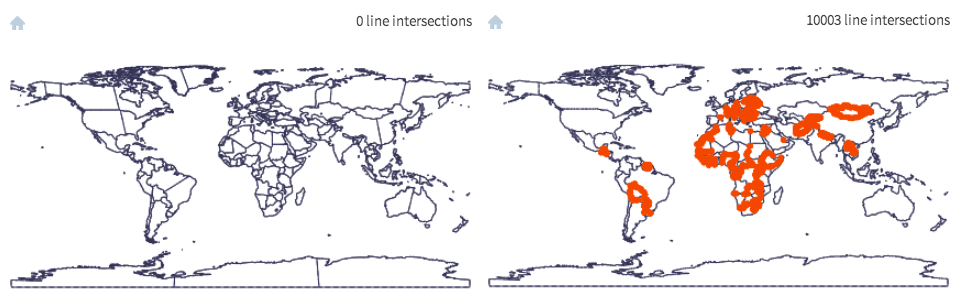
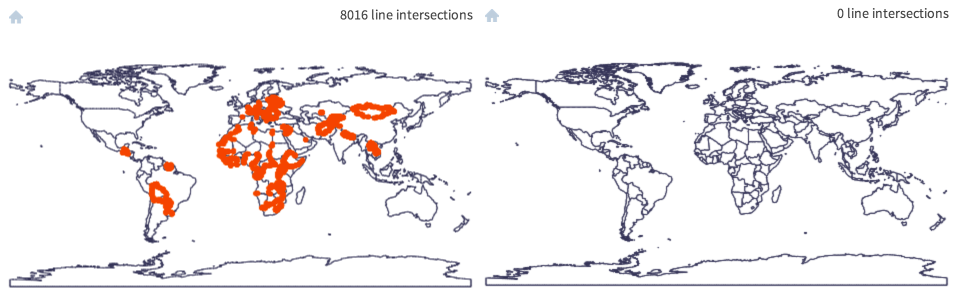
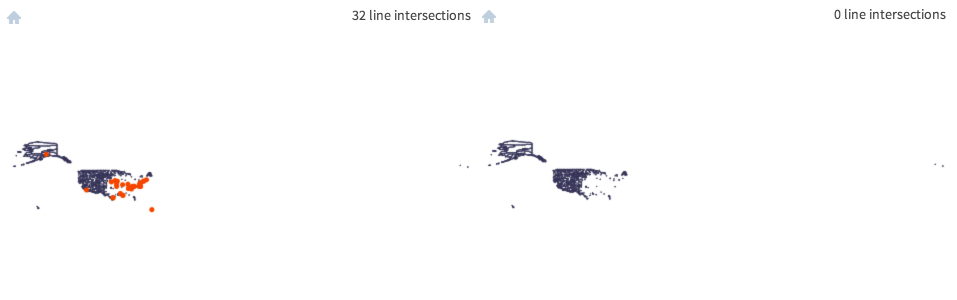
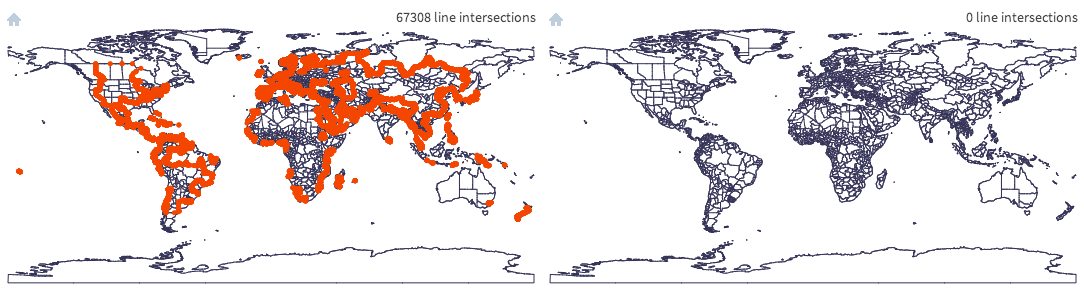
Here are a few screengrabs showing datasets containing topological errors, imported without (left) and with (right) snapping.
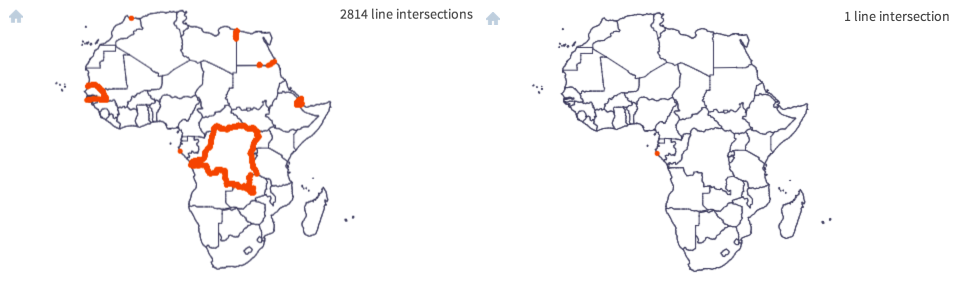
Source: Natural Earth ne_10m_admin_0_countries.shp [link ]
Source: ESRI detailed U.S. counties layer (commercial).
Source: AdmA.shp, Collins Bartholomew 2011 (commercial)
Problems with the ArcGIS dissolve tool
The widely-used ArcGIS dissolve tool appears to be one cause of topological errors. The example below shows the result of using ArcMap 10.1 to generate a countries layer from Natural Earth data. Adding a Shapefile to a Geodatabase before dissolving seems to avoid the problem.
Left: ne_10m_admin_0_scale_rank.shp from Natural Earth 2.0; right: After dissolving on the "sr_sov_a3" field using ArcMap 10.1.
Running mapshaper ne_10m_admin_0_scale_rank.shp -dissolve sr_sov_a3 -o out.shp or using QGIS to perform the same dissolve generates error-free output.